Freemius Pricing Blocks, explained
What does Freemius Pricing Blocks do?
Freemius handles the checkout, licences and payments for your plugin, theme or SaaS. You still need a pricing page that shows your plans and sends buyers to the right checkout, and building that by hand means custom HTML, JavaScript and a lot of copying plan IDs around.
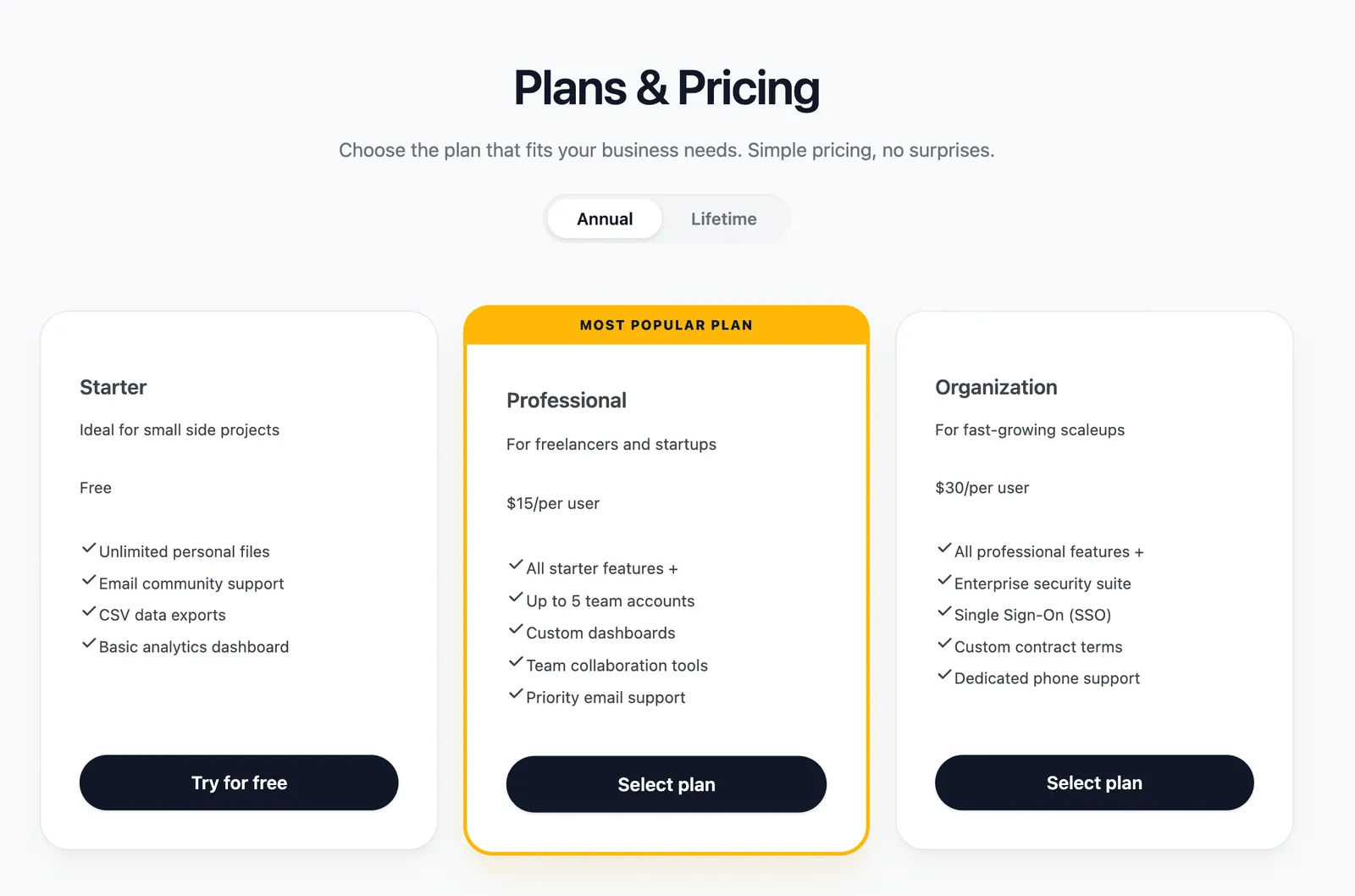
Freemius Pricing Blocks lets you build that page in the block editor. Add a pricing table, fill in your plans, prices and features, and every plan button opens the official Freemius checkout with the right plan, billing cycle and licence count. Visitors can switch between annual and lifetime pricing, and the whole table can be styled to match your site.
How a sale happens
- Add the tableInsert the Freemius Pricing Table block and enter your Product ID and public key.
- Build your plansAdd plan cards with prices, features and a Plan ID on each button.
- Visitor picks a cycleThe Annual / Lifetime toggle switches prices instantly.
- Checkout opensThe official Freemius checkout opens with the chosen plan and licences.
The blocks in the set
- Freemius Pricing Table: the responsive container that holds your Freemius keys, column count and billing toggle.
- Pricing Table Header: your own heading and intro text above the plans.
- Pricing Plan Card: one card per plan, with an optional "Most Popular" badge and accent border.
- Plan Header: the plan title and subtitle.
- Plan Price: annual and lifetime prices with currency symbol and frequency, plus free plan support.
- Plan Features List and Feature Item: a checkmarked feature list, with key features highlighted.
- Plan Checkout Button: opens the Freemius checkout with the plan, licence count and optional free trial.
- Freemius Logo: a secure payments badge for under your table.
How to set it up
- Download the plugin ZIP from GitHub and upload it through Plugins > Add New > Upload Plugin.
- Activate M R K WP Freemius Blocks. A new Freemius Blocks menu appears with the Styling & Design screen.
- In the Freemius Dashboard, open your product, then Settings > Keys, and copy the ID and public key.
- Insert the Freemius Pricing Table block on your page and paste in the ID and public key.
- Add a Plan ID and licence count to each plan's checkout button, then publish.
Inside the plugin
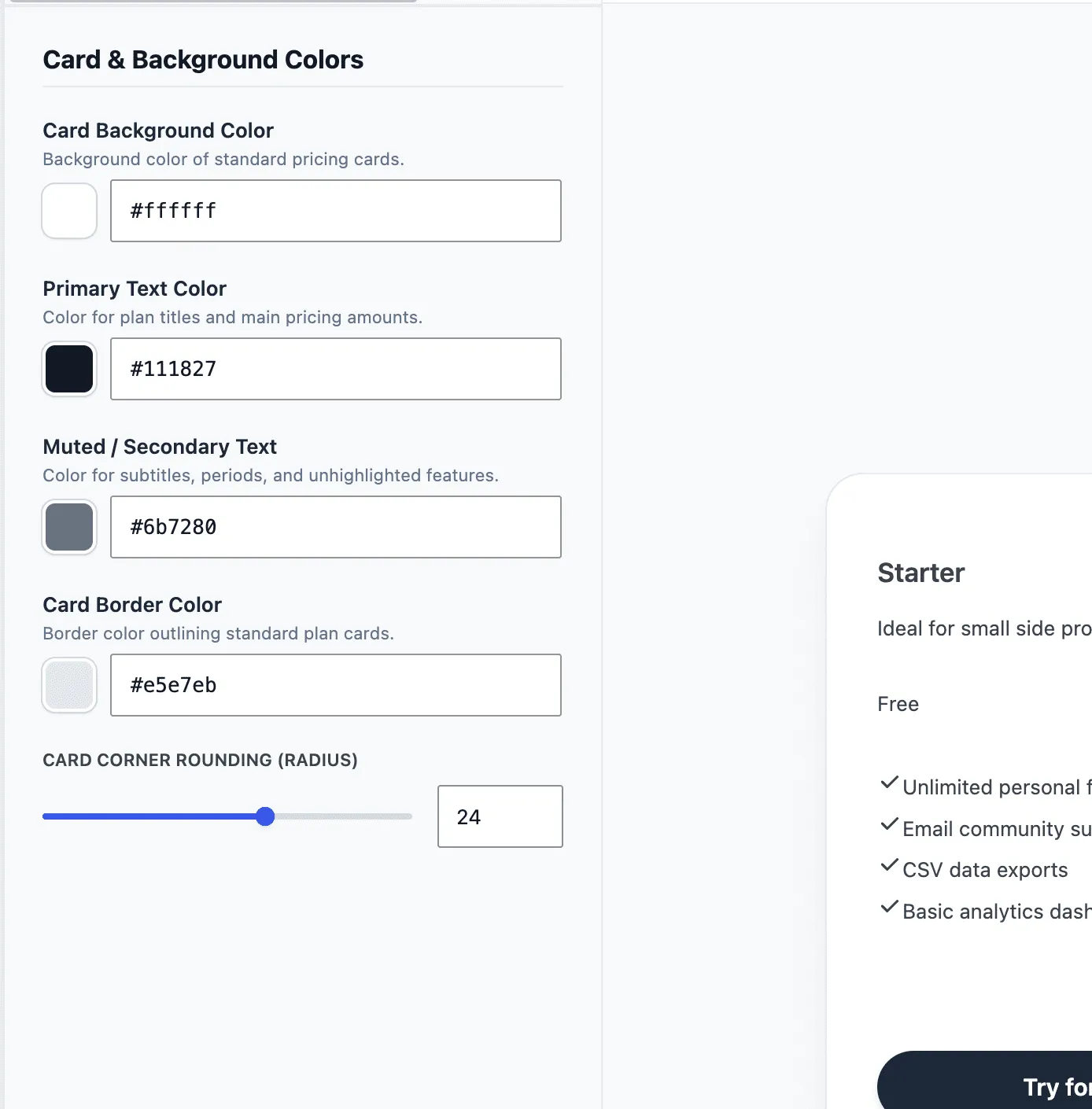
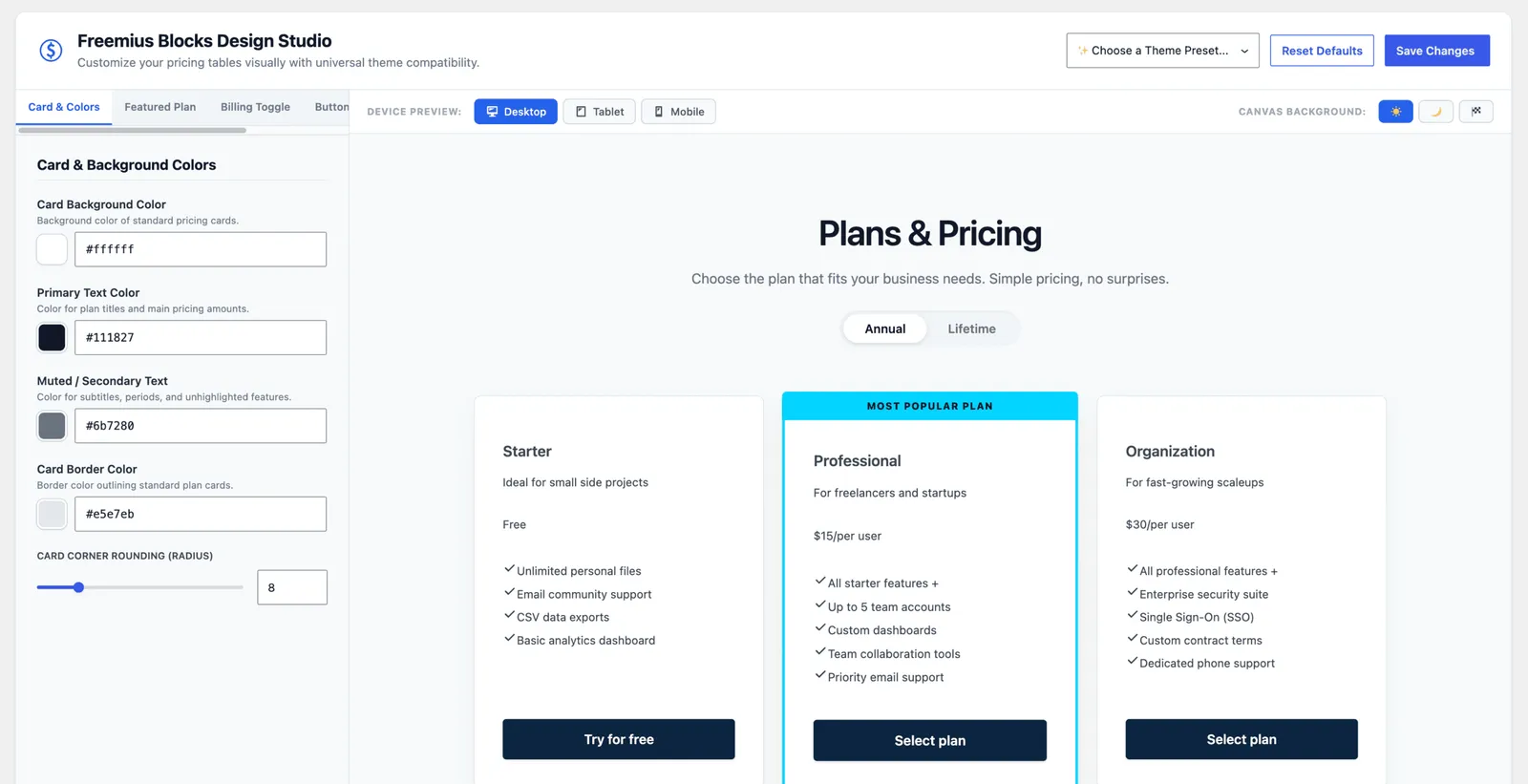
The configuration tool has a set of variables for all colors and features in the block setup. 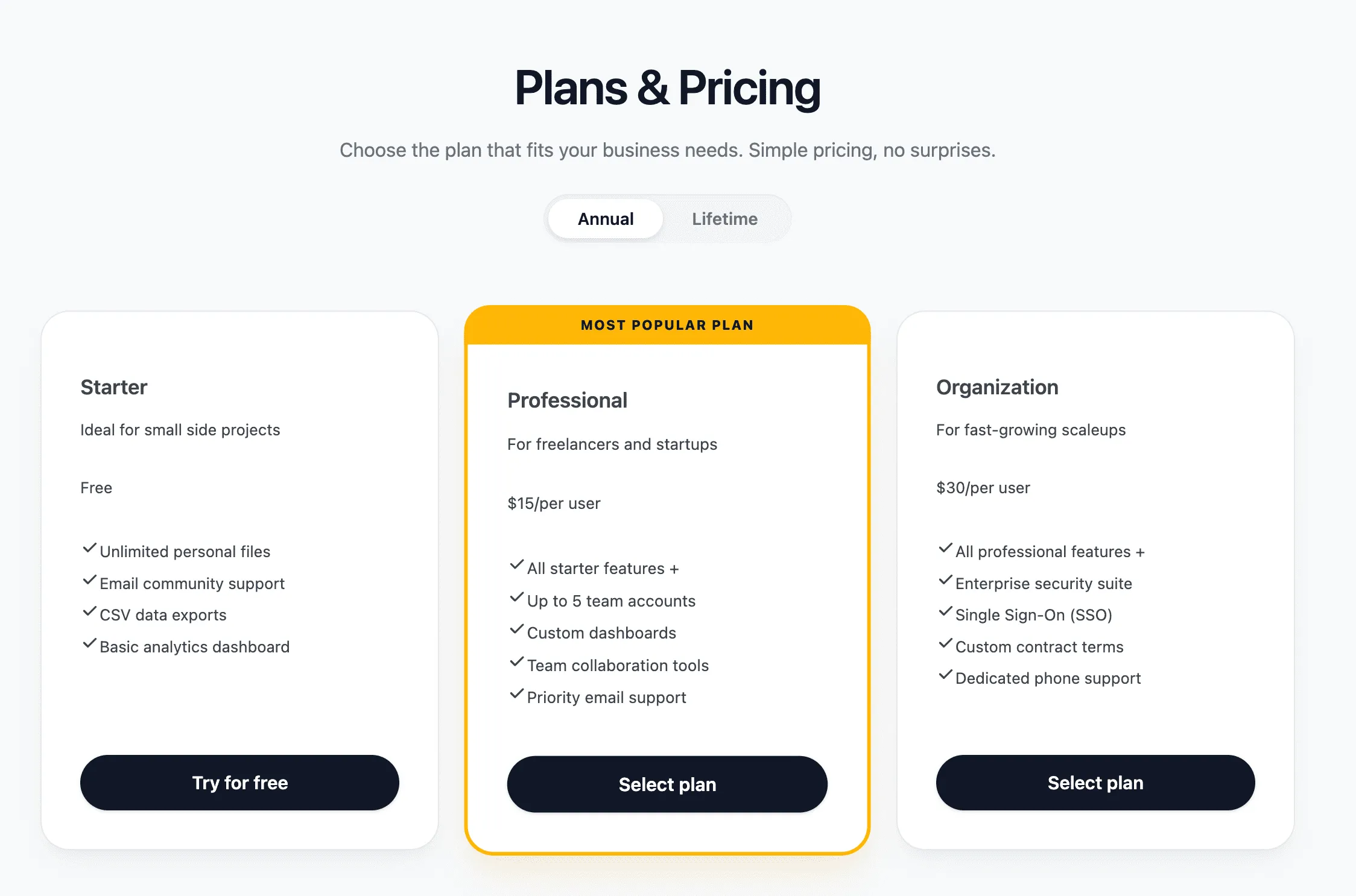
We have a range of excellent presets to get you started fast. 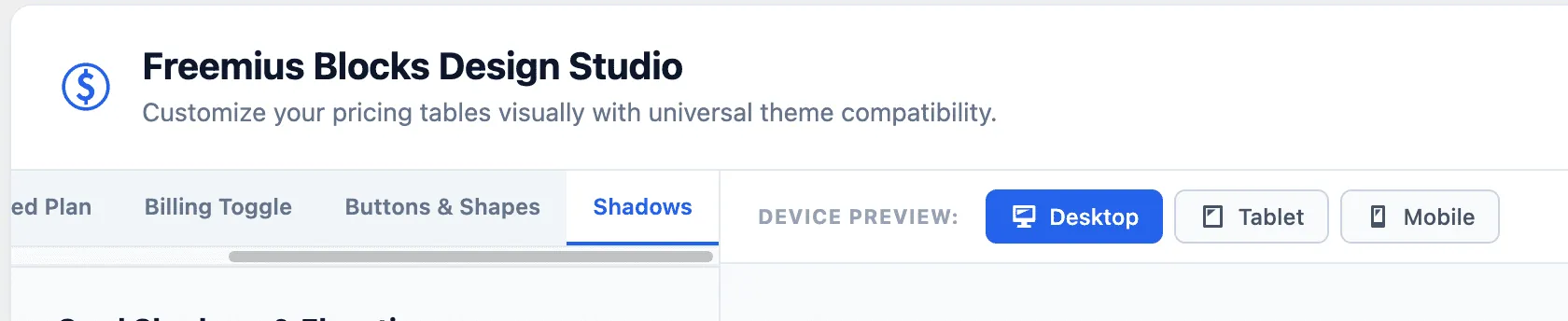
See what your pricing table will look like before you embed. 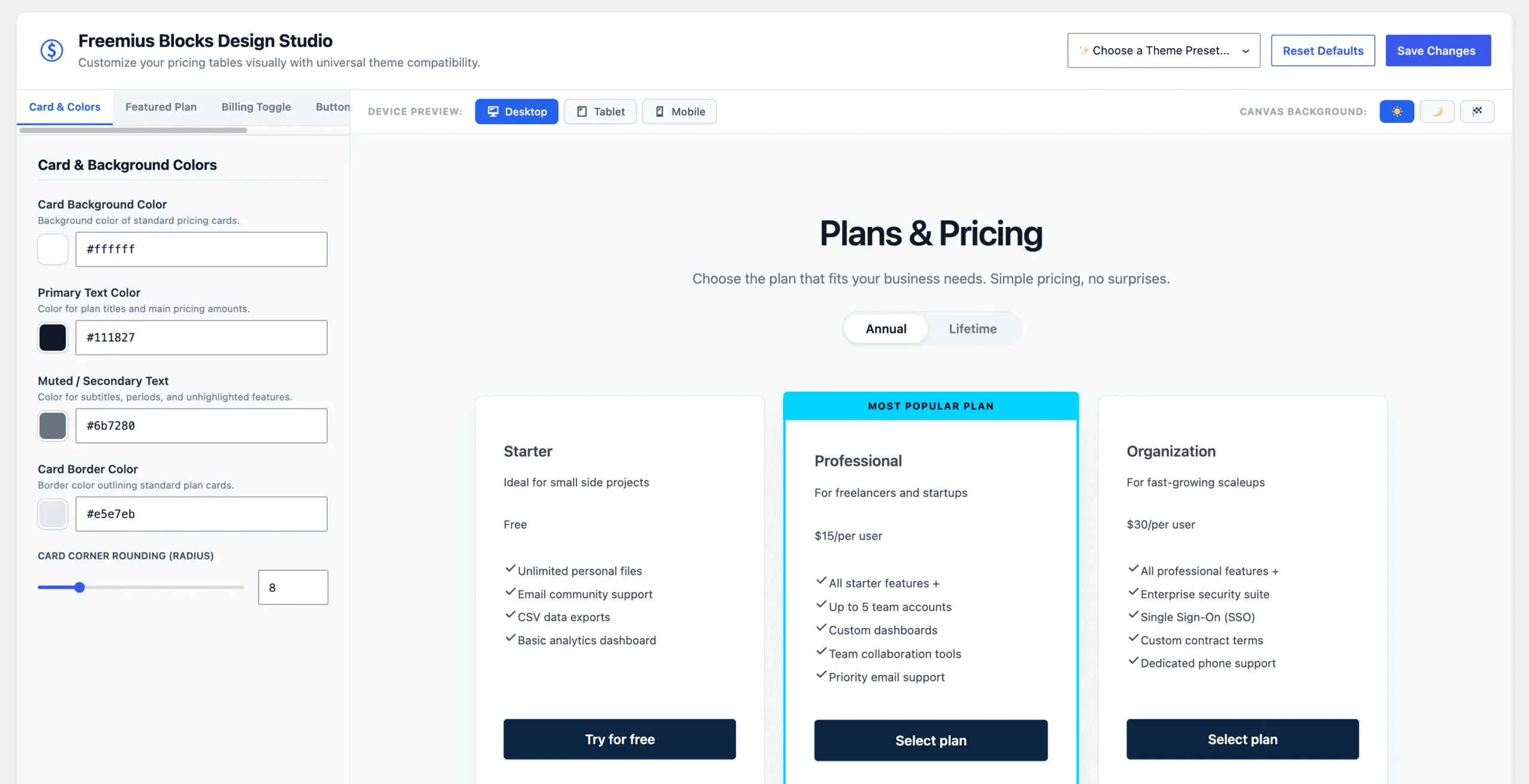
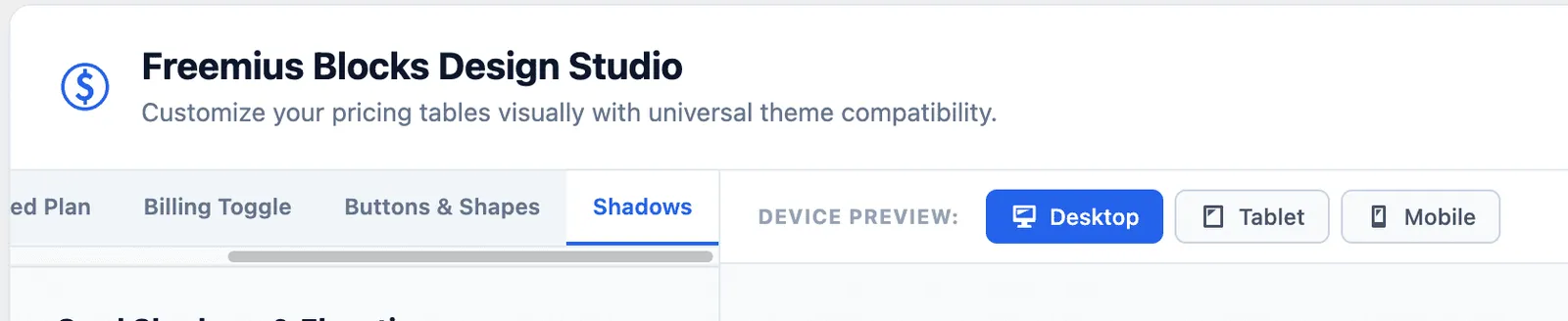
A full featured visual styler. 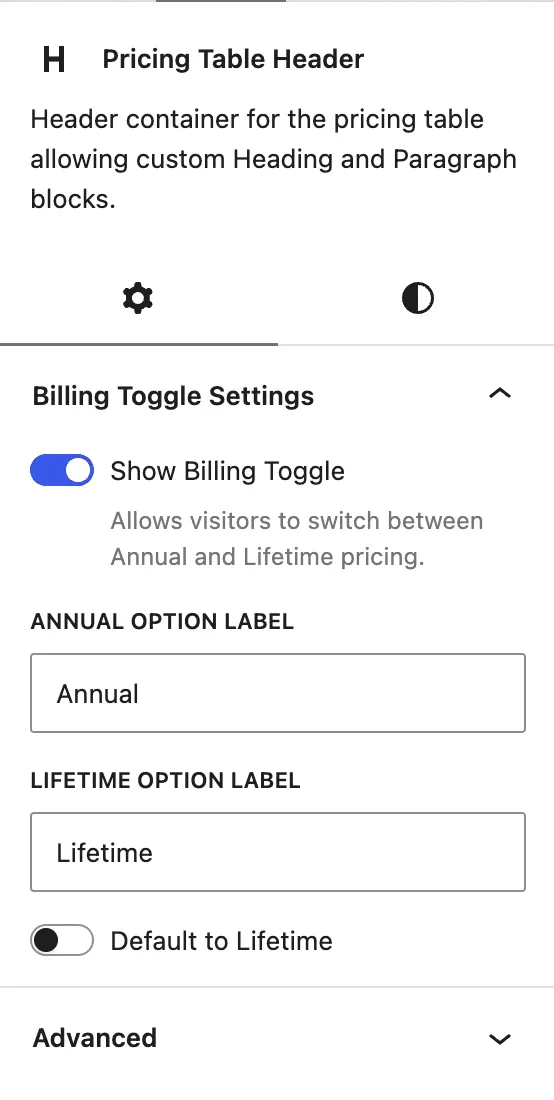
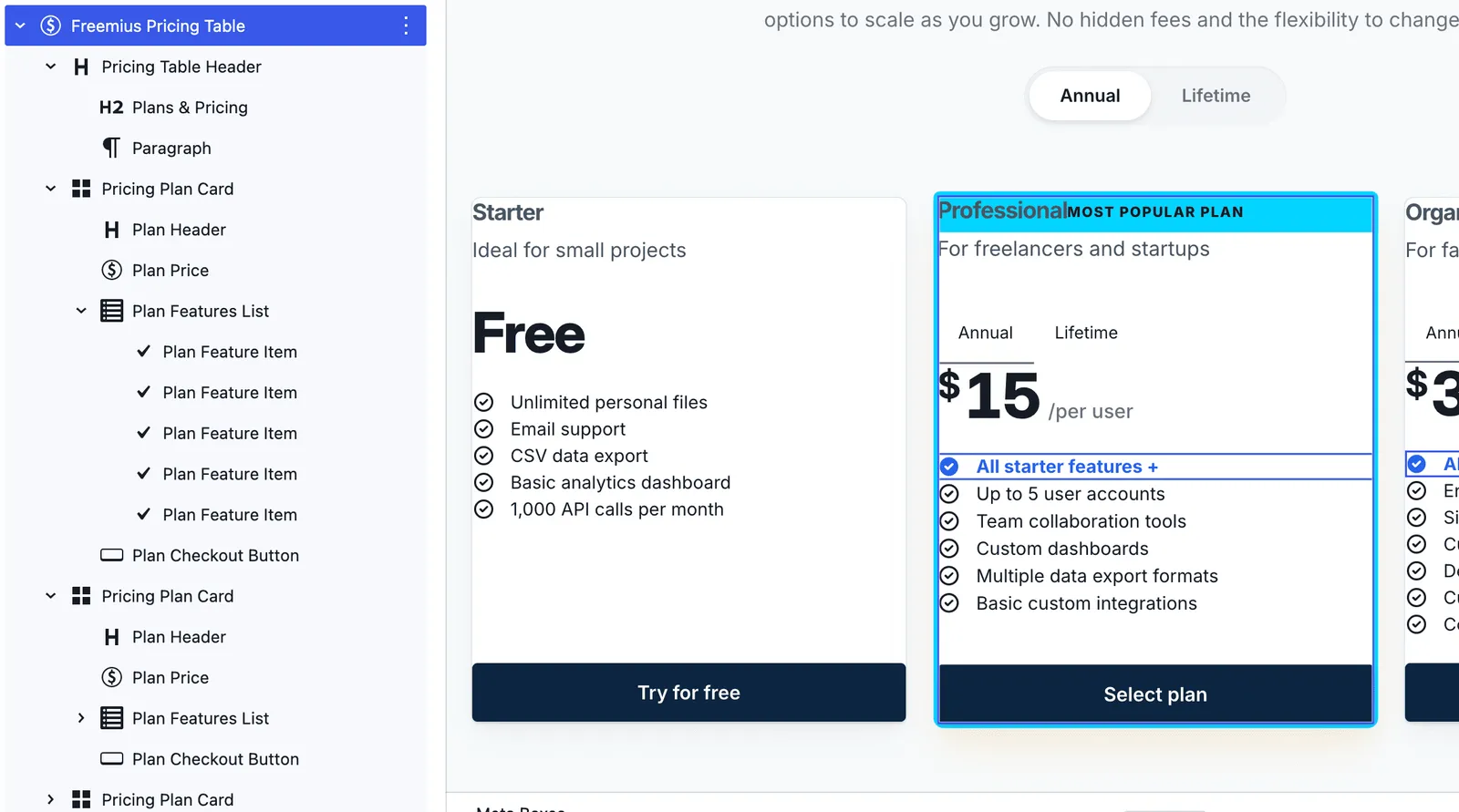
Each block has controls, css targeting and padding management. 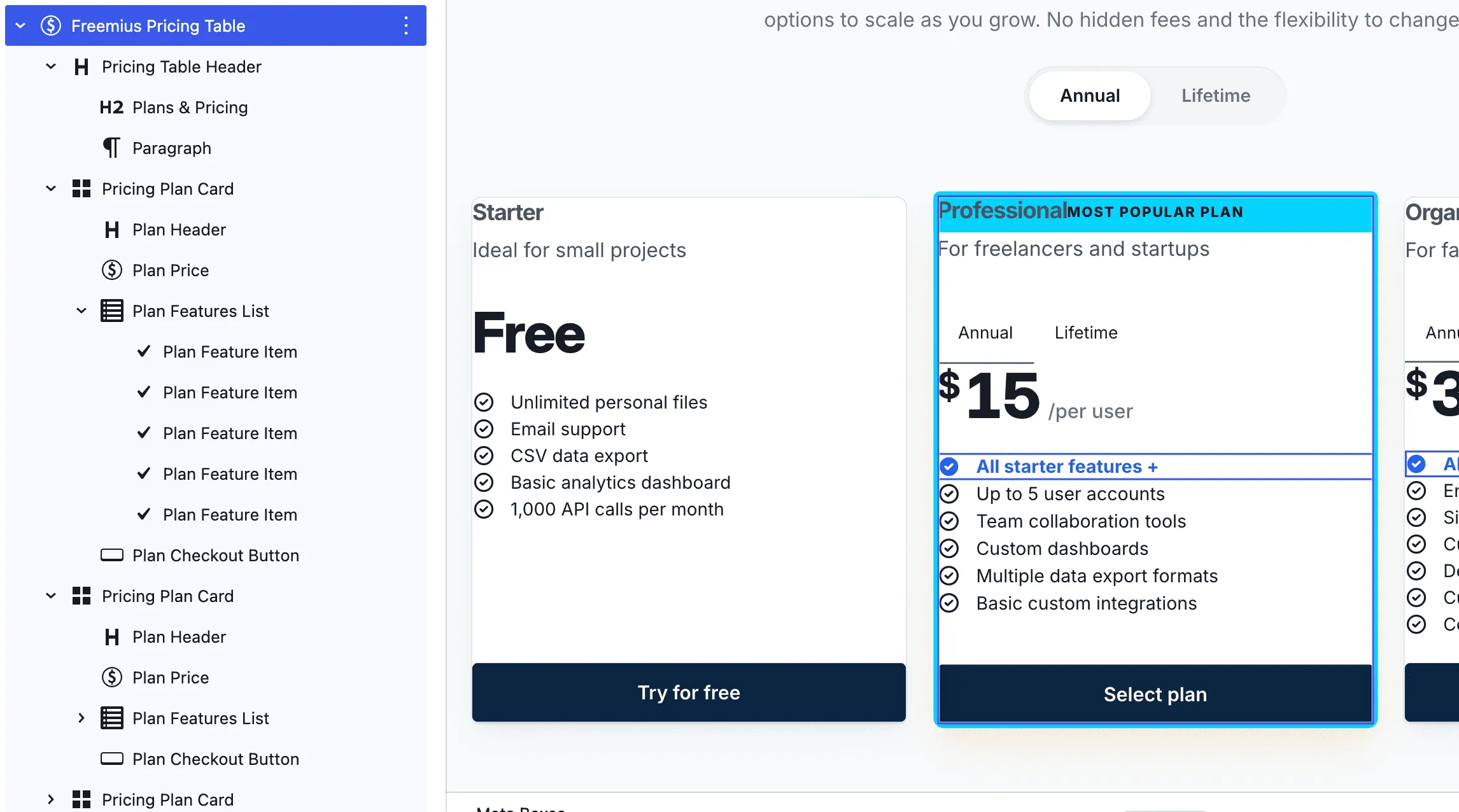
The block is a set of nested blocks to allow the maximum flexibility for your implementation. 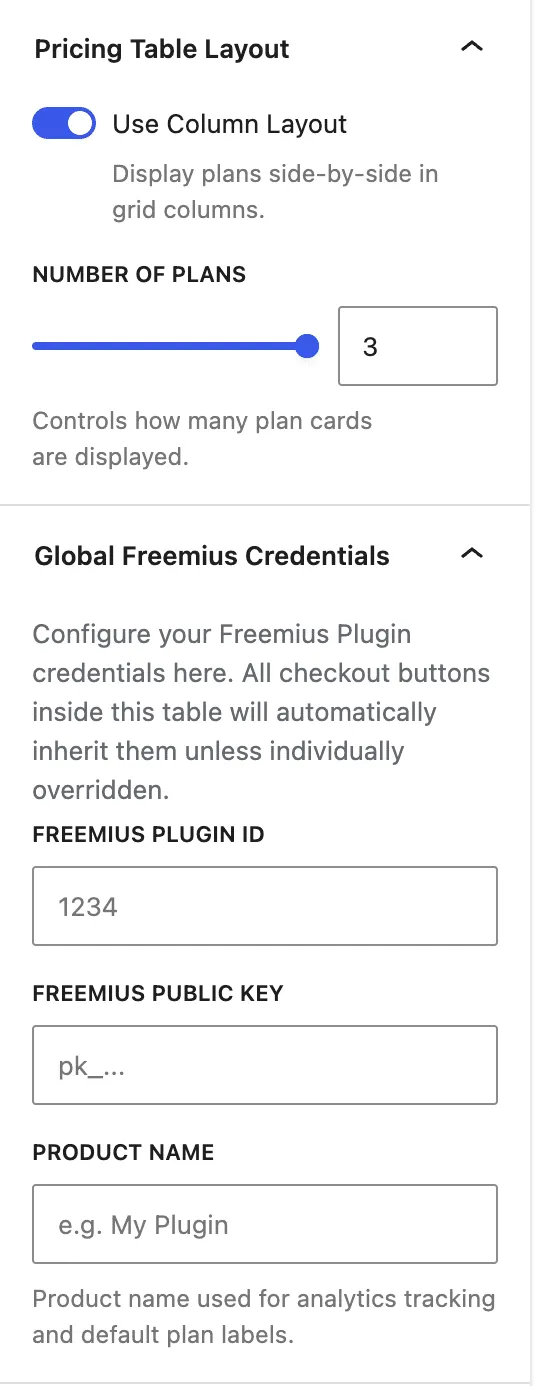
Direct integration with the Freemius SDK. Just add in your ID and public key and the checkout starts working. 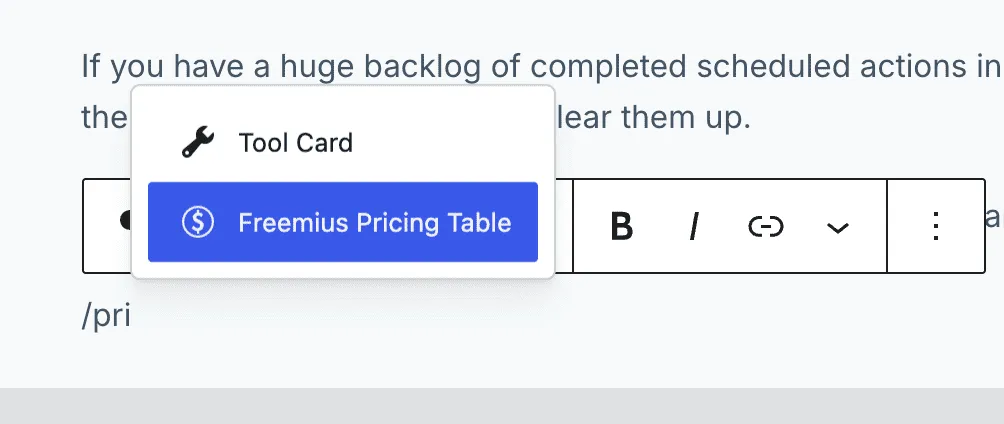
Easy to add in the block editor. Use of native controls.
What it does
Pricing Table Block
One nested block with the controls a modern pricing table needs. Drop it in and arrange plans, headers and features however you like.
Lifetime or Annual Pricing
A toggle switches prices instantly. You choose the labels and which billing cycle shows first.
Official Freemius checkout
Add your Product ID and public key, and each plan button opens the Freemius checkout with the right plan, cycle and licence count.
Highlight a plan
Add a "Most Popular" badge and accent border to one plan, and highlight the features that matter most.
Free trials and free plans
Turn on a free trial for any checkout button, and show free plans without a price.
Visual styler with presets
A Styling & Design screen with live preview, five ready-made presets and support for your theme's colours.
Free Download
Freemius Pricing Blocks is free. Download it from GitHub and install it like any other plugin.
- The full plugin, free to use
- Use it on as many sites as you like
- Open source under GPLv2 or later
- Read the code and report issues on GitHub
How to install
- 1On GitHub, choose Code → Download ZIP.
- 2In WordPress, go to Plugins → Add New → Upload Plugin.
- 3Upload the ZIP file, then click Activate.
Technical specifications
- Type
- WordPress Plugin
- Category
- WordPress Block
- Version
- 2.1.1
- Updated
- 2026-09-15
- WordPress
- 7.0 or higher
- PHP
- 8.2 to 8.5.12
- Tested up to
- WordPress 7.1.4
- Licence
- GPLv2
- Price
- Free
Works with
- Freemius
- WordPress Block Editor
- Google Tag Manager
Frequently Asked Questions
Is this plugin free to use?
Yes, it's completely free. Download it from our GitHub repository and install it like any other WordPress plugin.
Do I need a Freemius account?
Yes. The checkout buttons open the Freemius checkout for your own product, so you need a product set up on Freemius with at least one plan.
Where do I find my Product ID, public key and Plan IDs?
In the Freemius Dashboard, open your product and go to Settings > Keys for the ID and public key. Plan IDs are listed under Plans. Use the public key that starts with pk_, never the secret key.
Will it match my theme's colours?
Yes. The blocks use your theme's colour presets, and the Styling & Design screen lets you set colours, shadows and corner rounding, or start from one of five presets.
Does it track sales in Google Analytics?
If Google Tag Manager is on the page, a completed purchase or free trial sends an event to the dataLayer with the product name and amount.
Can I offer a free trial?
Yes. Turn on the trial option on any plan's checkout button and the Freemius checkout opens as a free trial.
Is this an official Freemius plugin?
No. It's built by MRK WP and isn't made or supported by Freemius.