
If you are using WooCommerce to sell products on your website, you may have seen this warning “Invalid value in field SKU” inside Google Search Console.
This error means the SKU (stock-keeping unit) value for one or more of your products is invalid.
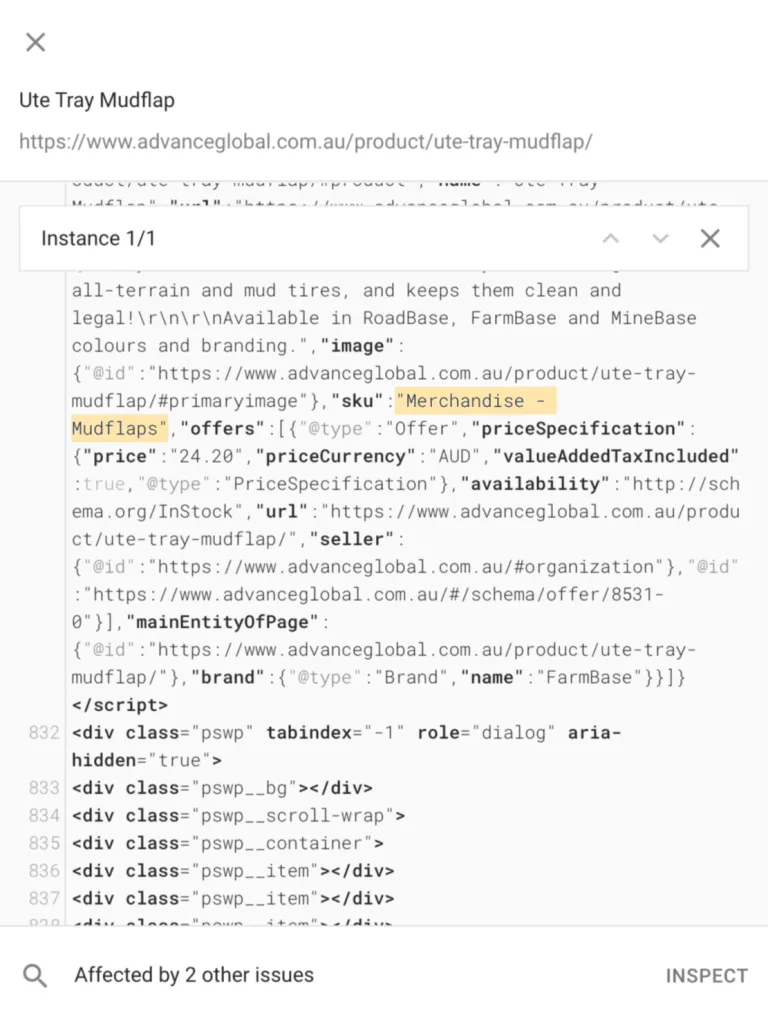
The SKU value for that product may contain invalid characters.
This tutorial will show you how to fix the “Invalid value in field ‘SKU'” error in Google Search Console.
We will use our SKU plugin to identify products with invalid SKUs inside WooCommerce.
Watch the Video
Check out our video on how to fix invalid SKUs in Google Merchant and WooCommerce.
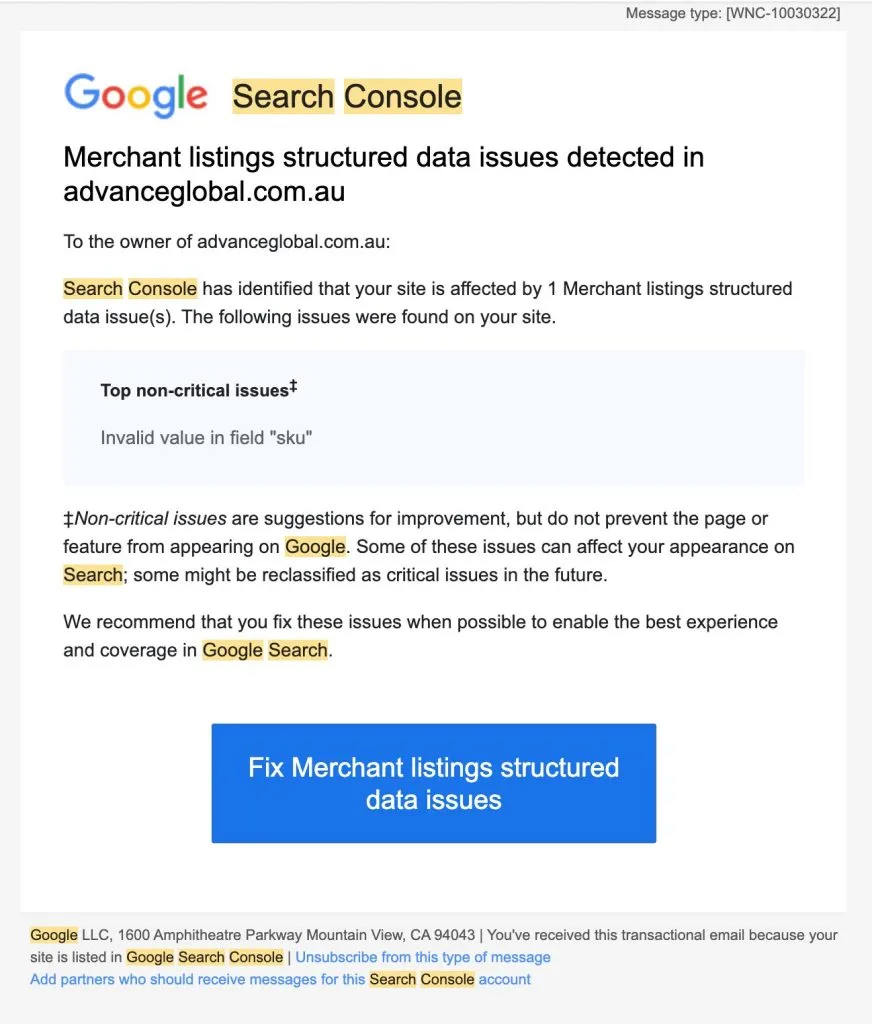
Invalid SKU Notification
Google Search Console issues warnings on invalid SKU values in product fields. These usually come through via email.
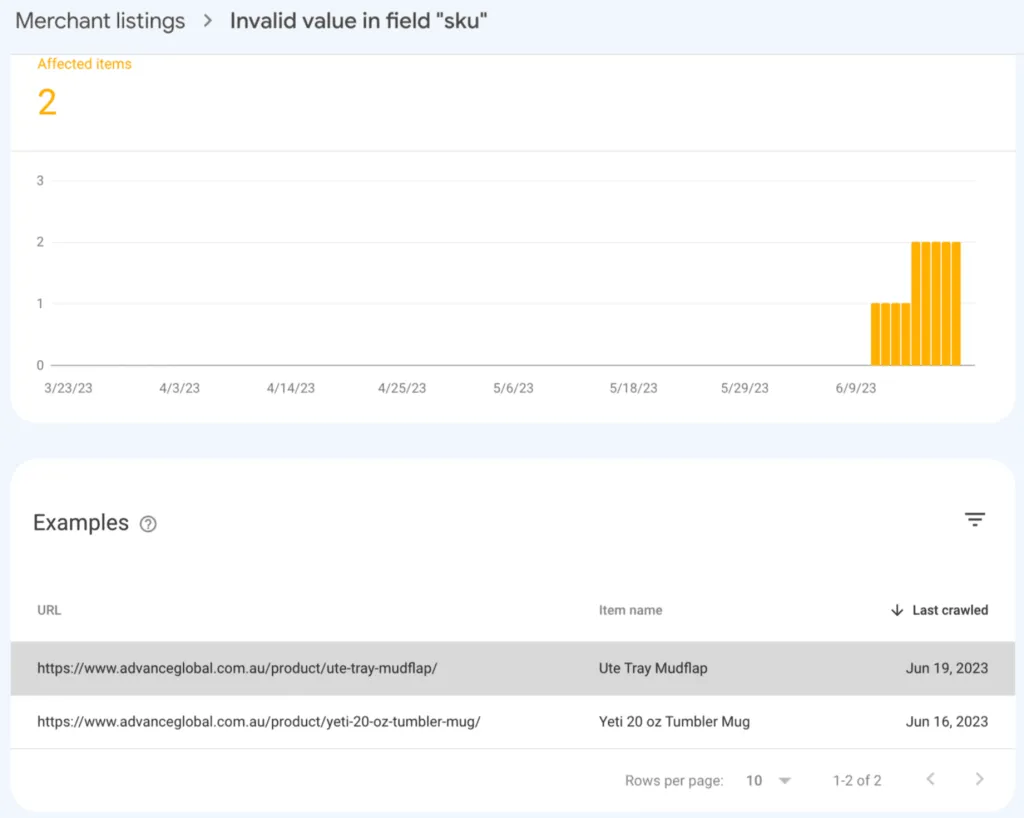
When you follow up on the warning, you can identify the affected products.
You view a product’s SKU inside its structured data.
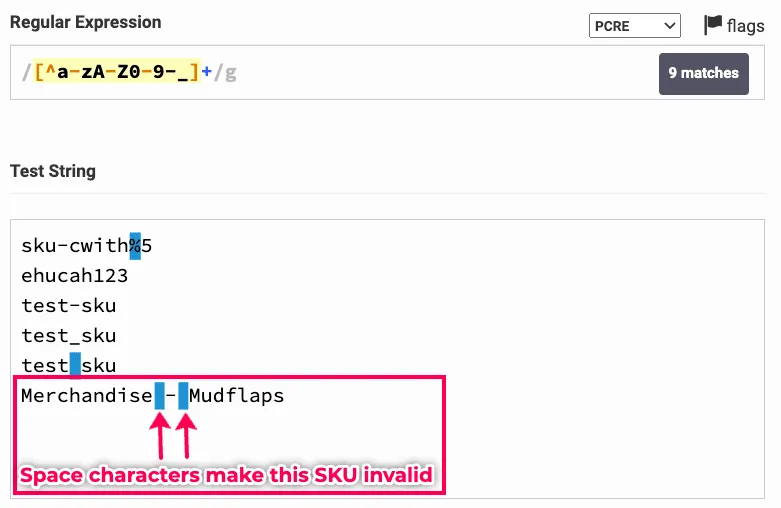
How to Validate an SKU with Regex
Copy the SKU from the data and test it against the regex tool for SKUs to identify the error in your SKU.
In this tutorial, you will notice that our SKU has some space characters that render it invalid.
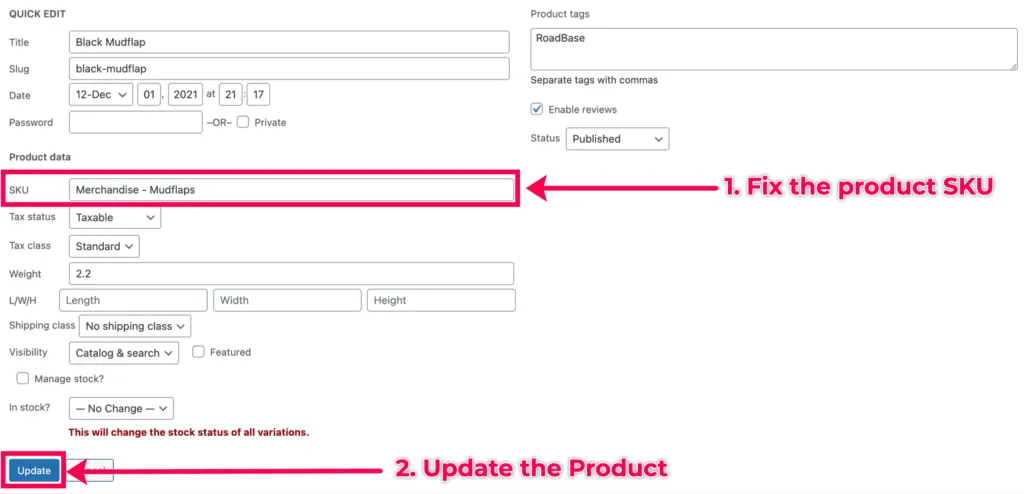
Fix Invalid SKU – Quick Edit Method
- Log into your WP Admin and go to products.
- Identify the product with the invalid SKU and go to Quick Edit.
- Fix invalid SKU and save the changes.
SKU Validator Plugin
I have developed a plugin to identify products with invalid SKUs inside WooCommerce. This plugin is accessible to everyone. You can download the SKU validator from our GitHub repository.
The SKU Validator plugin displays products with invalid SKUs inside Woo-commerce. With this tool, you will be in a position to identify and fix an invalid SKU warning before Google Search console issues it.
Note
We encourage installing the SKU Validator Plugin on your local or staging environments.
Regex Inside MySQL Query for SKU Meta Data
The plugin runs a MySQL Query that loops through all SKUs in your database. It then matches them against the regular expression for valid SKUs.
The query returns all products that do not match the regular expression.
How the SKU Validator Plugin Works in WordPress
Install the SKU Validator plugin inside WordPress.
Go to the SKUs Validator on the WP Admin Admin Dashboard Menu.
You will see a table of products with invalid SKUs. Inside the table, each product row has a link to a specific product with an invalid SKU.
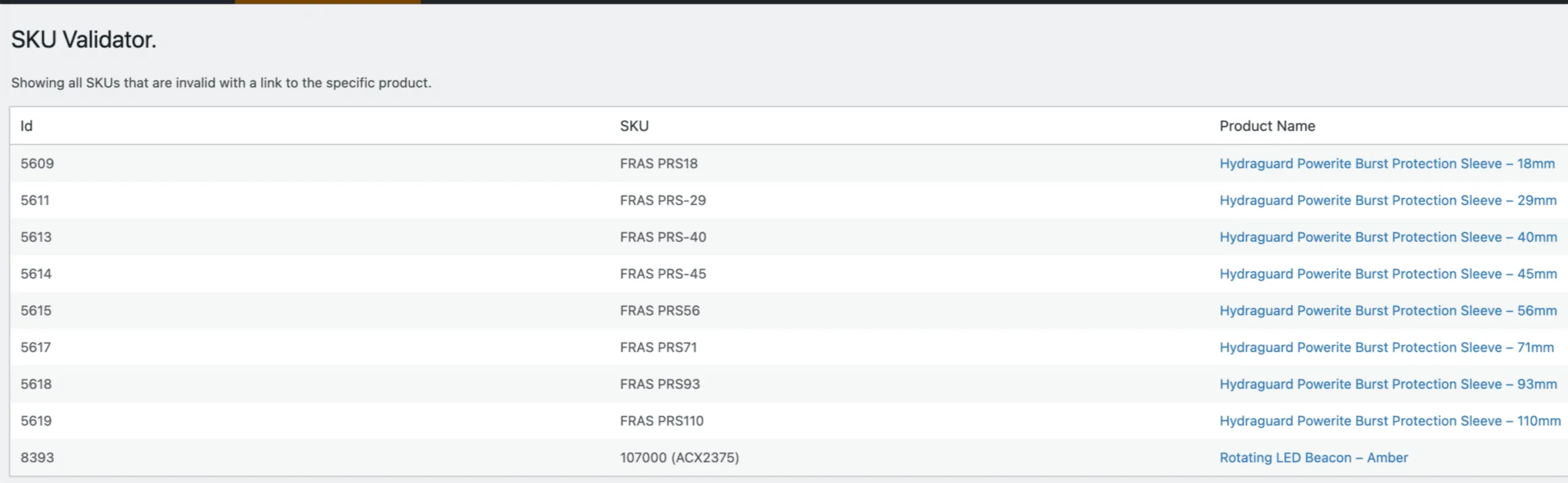
This link takes you to the front end of the product page. You can access the Product Edit button to fix the invalid SKU field, as we saw earlier.
Validating an SKU Fix
Now that you have corrected the invalid SKUs, return to the Google Search Console page to validate the fix.

You will need to wait for Google to recrawl your website.
Confirmation of SKU Fix
Once Google has recrawled your website, you will receive an email notifying you that the issue has been successfully fixed.
Conclusion
We have shown you how to fix an invalid SKU warning in Google Search Console. We have also shared the SKU Validator plugin to help you identify products with invalid SKUs.
More Woo-Commerce Tips
Check out more tips on Woo-commerce below.