If you are using The Events Calendar plugin on your Kadence Theme-built website, you must have taken note of the events layout container on the Events archive page. The Events Calendar extends beyond the page width of your overall site container.
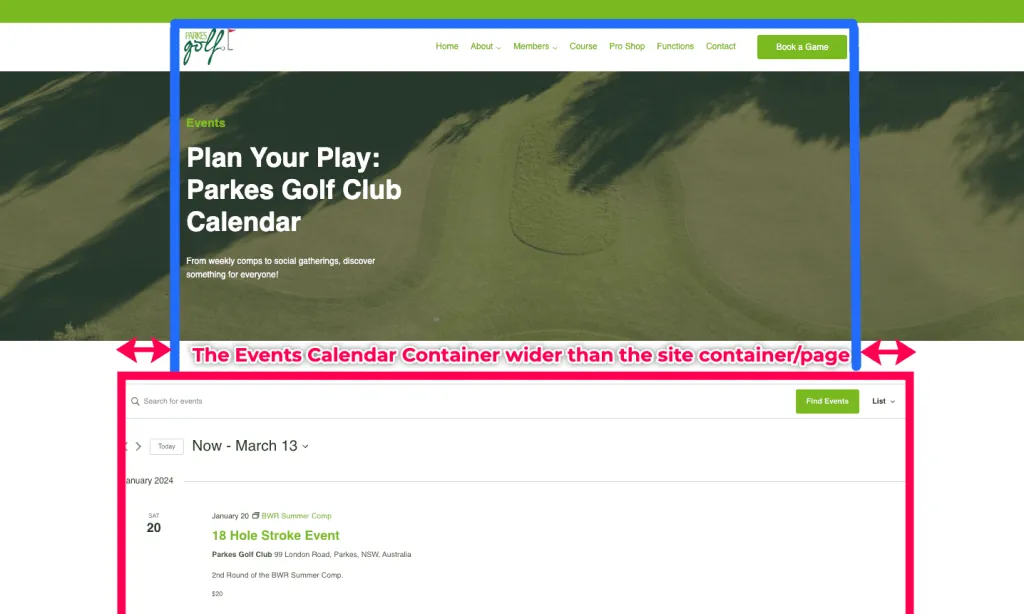
In this tutorial, we will show you how you can be able to fix this issue by using a custom code snippet that you will add to your Kadence Theme.
Video Tutorial: How to Fix The Events Calender Page Width in Kadence
Here is a video tutorial on how you can fix the Event Calendar’s Page width when using Kadence Theme.
The Process
1. Go to the Kadence Theme Additional CSS Settings
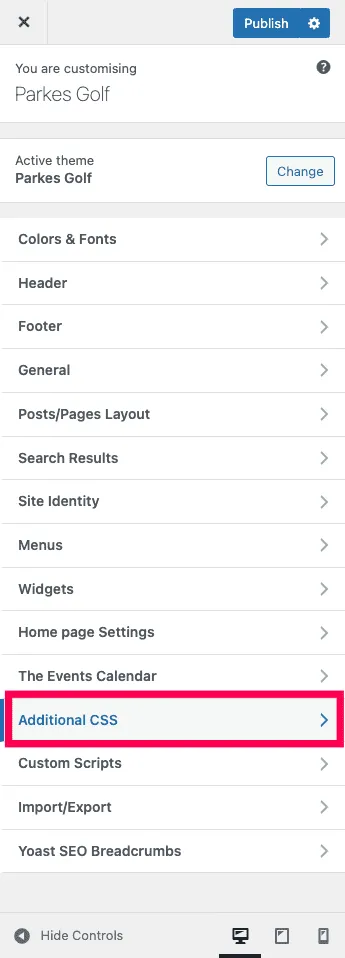
You must access the Additional CSS section within the Kadence Theme Customiser. To access these,
- Log into your WordPress admin dashboard.
- In the WP Admin dashboard, go to Appearance – Customise to open the theme customiser.
- Inside the Theme Custom Settings, go to Additional CSS.
2. Add Code the Code Snippet to Fix Page Width
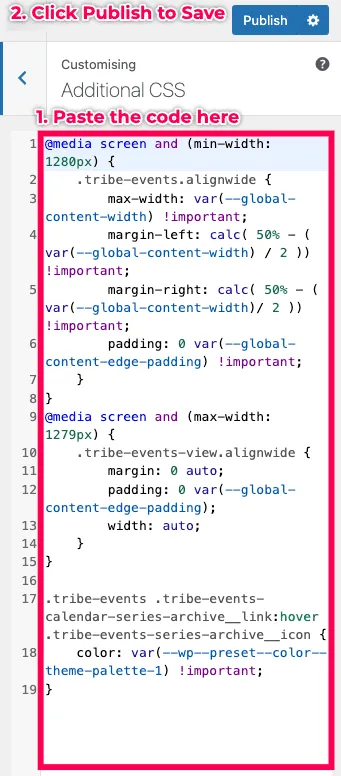
In this second step, you will copy the Fix Page Width Events Calendar code for the Kadence Theme code snippet from Git Hub and add it to the Additional CSS inside the Theme customiser.
- Copy the below.
- Paste the code inside the Additional CSS section.
3. Test the Events Page
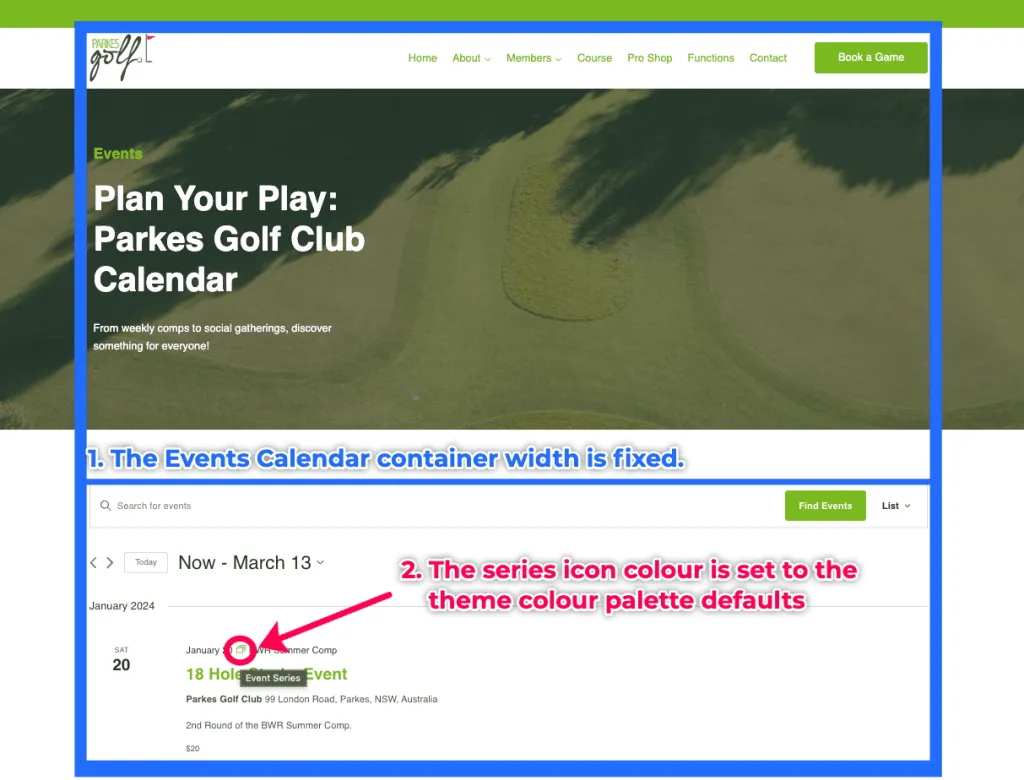
Return to your Events Page and test whether the page layout is okay.
Conclusion
This tutorial addresses a common issue encountered when using The Events Calendar plugin and Kadence Theme, which manifests when the Events Calendar layout extends beyond the designated page width, causing layout discrepancies.
By following this tutorial, you can fix this issue by adding the code snippet to your Additional CSS section to the Kadence Theme custom settings.
At MRK WP, we offer support for both The Events Calendar plugin and Kadence theme as part of our WordPress Care Plan service. Reach out to us if you need a WordPress Care Plan for your website.
Extra Kadence WordPress Tips
Check out some of our extra tips on building websites using Kadence.