Skip to content

Fix Errors in the Widget Screen of WordPress

Matt Knighton·Aug 2022·6 min read
Fix Errors in the Widget Screen of WordPress

Do you have errors in your Widgets screen for WordPress using the Gutenberg Block editor? Errors like:

The “nav_menu” block was affected by errors and may not function properly. Check the developer tools for more details.

In this video tutorial we will show you how to fix this issue.

We will be using the classic widgets plugin to hide these errors.

Steps How to Fix Widget Errors

Step 1 – Go to your WordPress admin screen

Step 2 – Go to plugins and click “Add New”
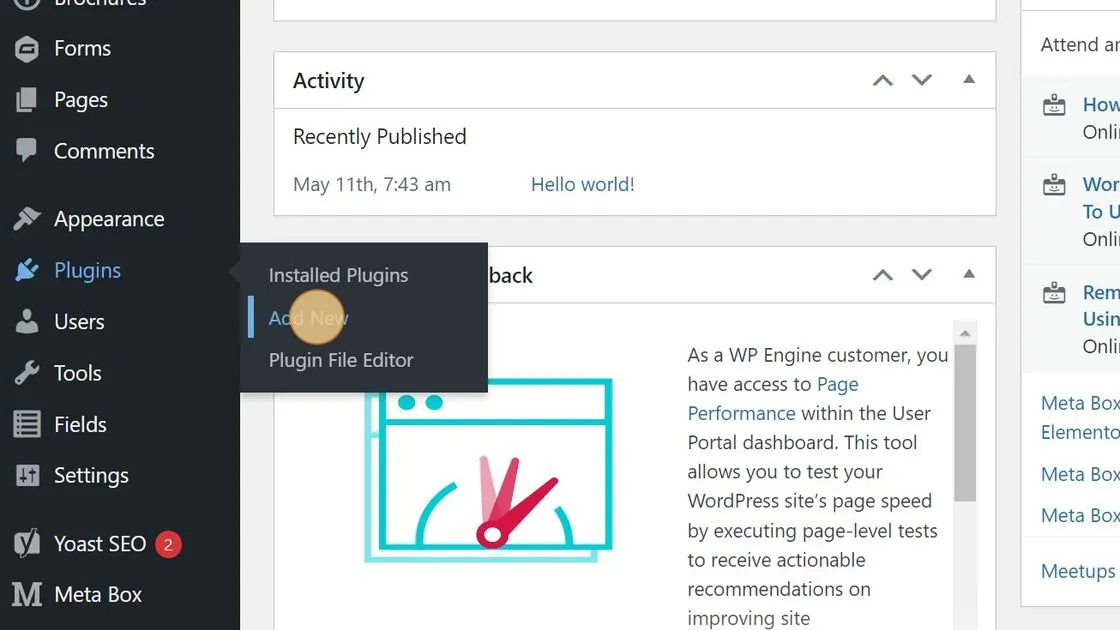
Add new plugin WP Admin

Step 3 – Go to the search plugins field
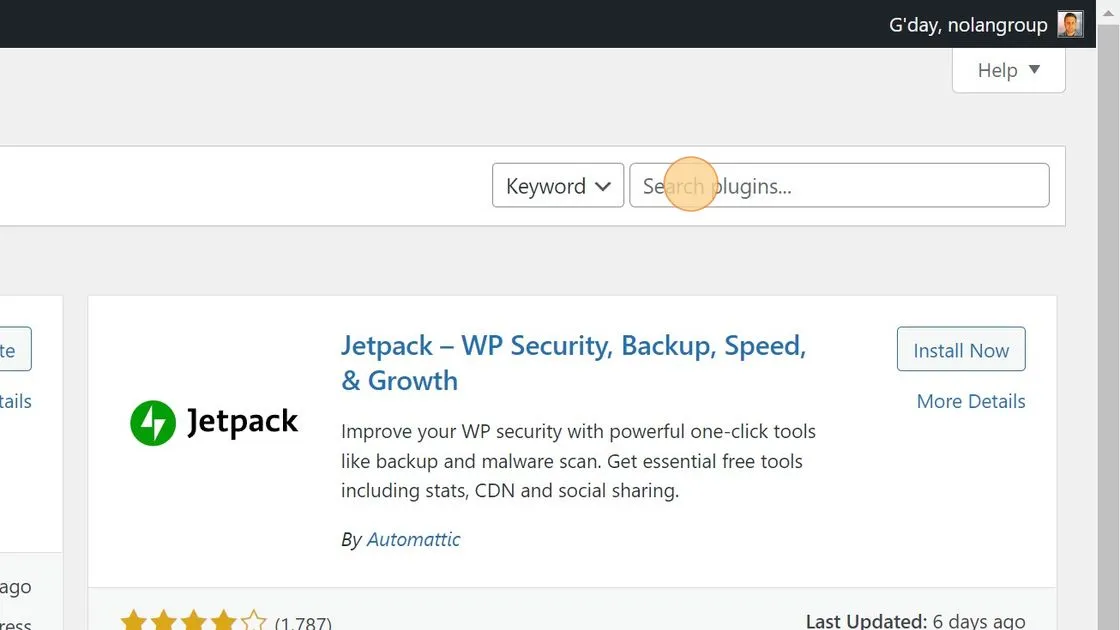
Search for Classic widgets plugin

Step 4 – Type “Classic widgets” and press enter.

Step 5 – In the search results install the Classic Widgets Plugin
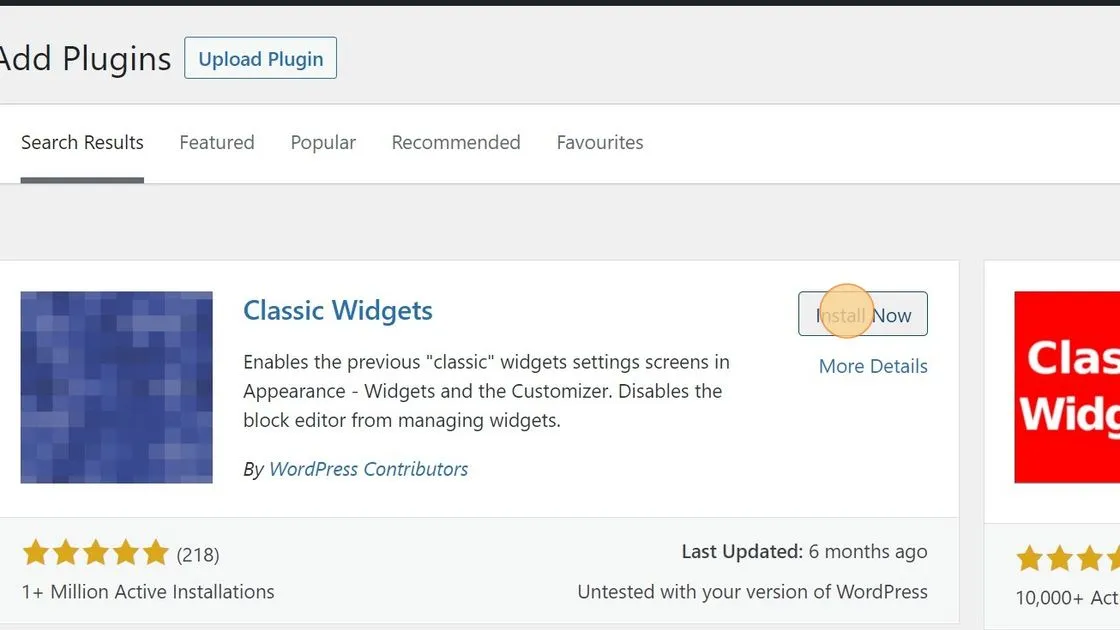
Install Classic Widgets plugin

Step 6 – After the item is installed activate the plugin.
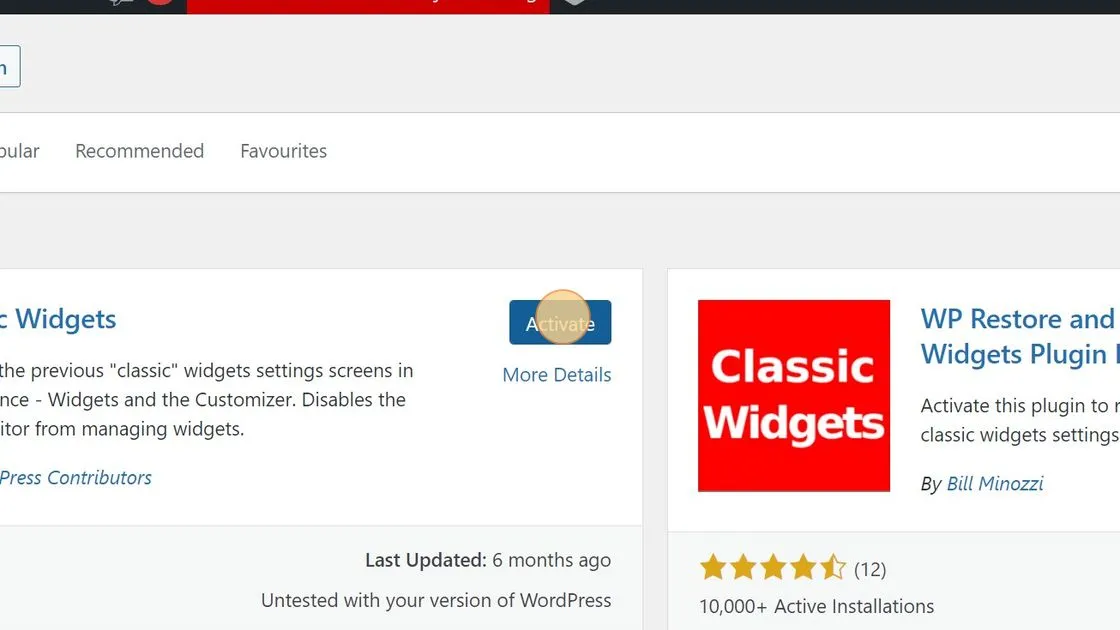
Activate Classic Widgets on WP website.

Now your screen is back to the old version of Widget Screen for WordPress and the error will no longer be shown.
More Articles & Insights

View all articles ↗
How to Display Multiple Sidebars with Kadence Elements
Mar 2025 · WordPress & AI

How to Display Multiple Sidebars with Kadence Elements

Read Article
Fixing WordPress Emoji Saving Issues with ChatGPT Output
Mar 2025 · WordPress & AI

Fixing WordPress Emoji Saving Issues with ChatGPT Output

Read Article
Why Every WordPress Developer Should Use PHPCS and WordPress Coding Standards
Nov 2024 · WordPress & AI

Why Every WordPress Developer Should Use PHPCS and WordPress Coding Standards

Read Article

Let’s figure it out together

You don’t have to build alone.

A little guidance. A good conversation. A better next step.

Work with me

Start with a 20-minute call. I read every enquiry myself.