If you are using Kadance Theme, you should have noticed a default bottom margin that is added to your block content. This default margin creates a space between your content which makes it look awesome. BUT, at times this spacing goes beyond creating unnecessary spacing.
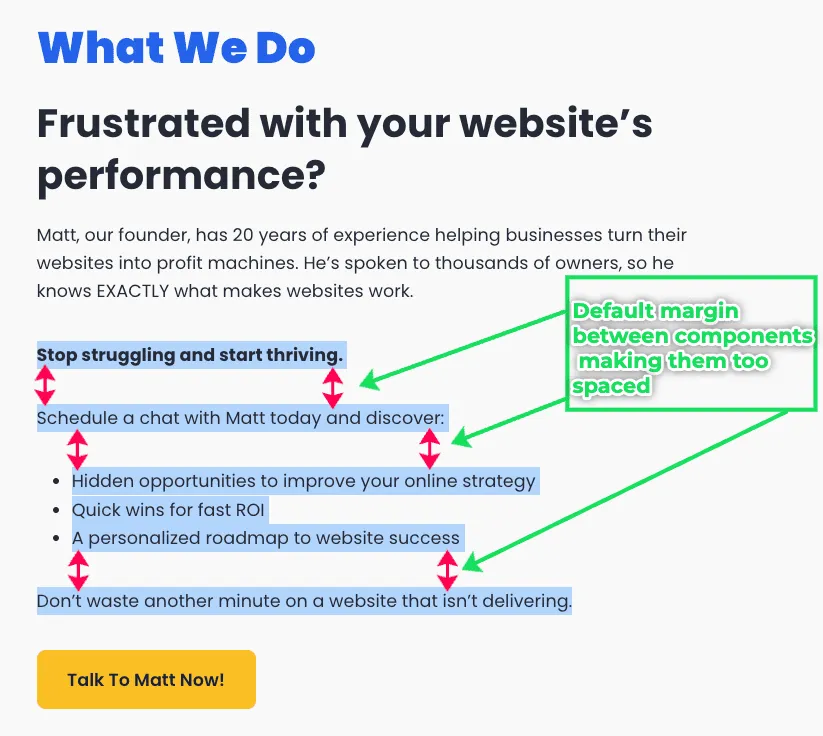
In this tutorial, I will guide you throw the process on how you can fix this issues using our Margin FIX code snippet.
Video: How to Fix the Default Kadence Margin
Watch the Video Tutorial on How to Fix the Default Kadence Margin.
The Process
1. Get the Code Snippet
Get the Margin CSS Fix Code Snippet from Github. Alternatively, you can copy the code from the section below.
2. Add Code Snippet to Theme Customiser
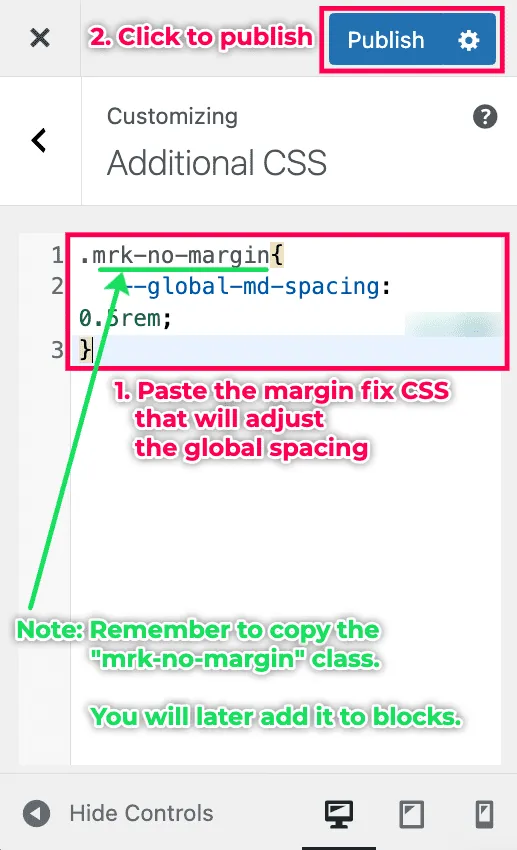
After obtaining the code snippet, add it to your Kadence website via the Additional CSS settings.
Go to the Kadence Theme Customiser – Additional CSS.
- Paste in the code snippet.
- Click publish to save.
Get the Custom Class
Before closing the customiser, get the “mrk-no-margin” class that will you add to your blocks in our to apply the new global spacing defined in the code snippet.
3. Add Custom Class to Blocks
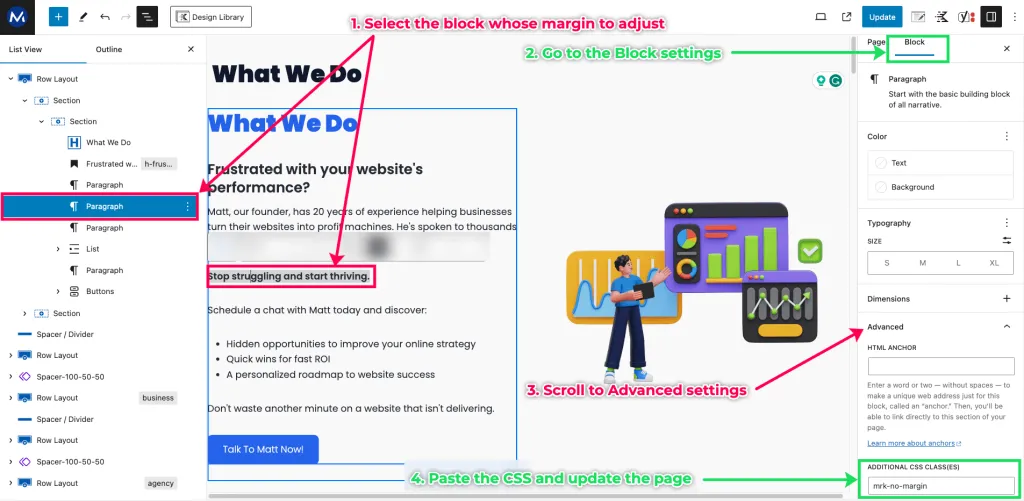
The next step is for us to add the custom “mrk-no-margin” to blocks whose spacing we want to reduce. To do this,
- Select the blose whose default margin you wish to adjust.
- Go to the Block settings.
- Scroll to the Advaced settings section.
- Add the custom class to the Additional CSS Class(es) and update your page/post.
4. Clear Cache and Test
If you have any caching system on your site, clear your cache before testing for the changes.
You should see reduced spacing/fixed margin on the blocks which you applied the custom CSS class of “mrk-no-margin“.

Conclusion
Our Margin CSS code snippet provides a simple and effective solution when it comes to fixing the default bottom margins in Kadence Theme.
Add the code snippet to your the Additional CSS settings and apply the “mrk-no-margin” class to specific blocks to fix the issue.
I hope this tutorial has been helpful.
WordPress Care Plan with Kadence
MRK WP supports the Kadence theme and its plugin as part of our WordPress Care Plan service. We can build and help maintain your Kadence website. Our WordPress Care plan service also covers the cost of theme and plugin licenses for your Kadence sites.
Extra Kadence WordPress Tips
Check out some of our extra tips on building websites using Kadence.